Finance and banking · The invoice
The invoice is your face. Design it yourself — or ask Hilde.
In Holio Workspace you decide what the invoice looks like: logo, colours, fields and lines. Describe it in the chat and Hilde drafts it — you approve. The same document goes out as a PDF by e-mail and as EHF.
- Your brand
- Logo, colours and typography from your brand manual.
- With AI
- Describe the invoice in the chat. Hilde drafts it, you save it.
- PDF and EHF
- One document, two channels — paper and XML always agree.
- The legal content
- What the bookkeeping regulation requires stays in the base.
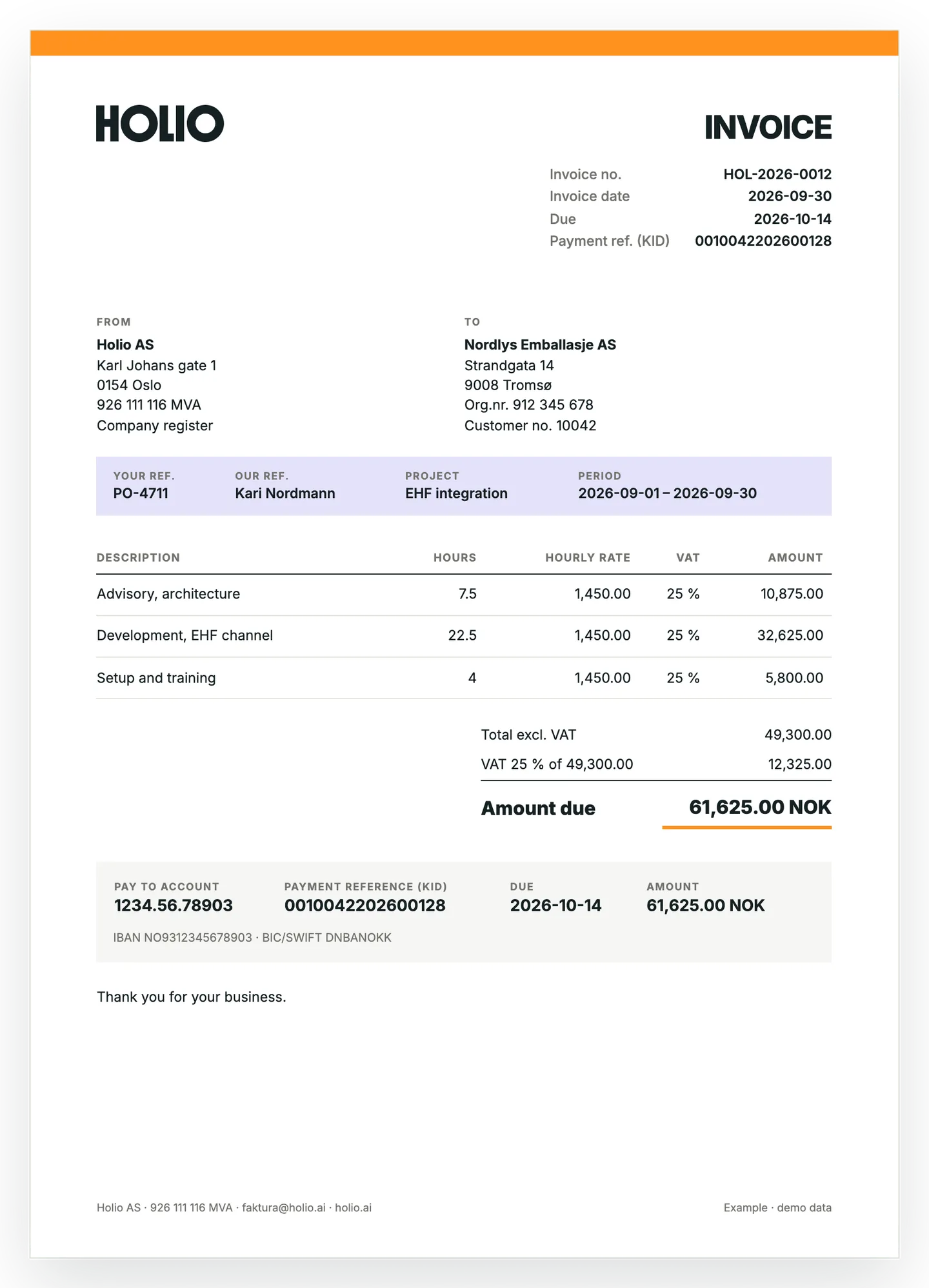
The invoice is the document most customers see from you. It should look like you.
What you decide
The template is built from blocks, not free-floating boxes. That is why an invoice of 800 lines flows across pages as neatly as one of three — and why Hilde can build it.
Logo and colours
Your logo at the top, your colours on the bar, the reference strip and the total rule. Taken from the brand manual, or set by hand.
Fields and reference strip
Your ref., our ref., project and period — what the customer needs to approve the invoice internally, on one line.
The lines
Hours and hourly rate for consulting, quantity and unit price for goods, product number and discount when needed. Mixed lines read «7.5 h» and «2 pcs».
Text and payment card
Account, KID, due date and amount in one card — exactly what is typed into the bank. IBAN and BIC for customers abroad, and a free text at the end.
Ask Hilde to make it
«Make an invoice template with our logo, the dark green from the brand manual as the accent, and project and period in the reference strip.» Hilde reads the brand manual, builds the draft and shows the preview in the chat.
But Hilde does not save on its own. Saving the template is a card you press — the same rule as for everything else Hilde does in Holio: a read runs, a write waits for a person with the right to approve.
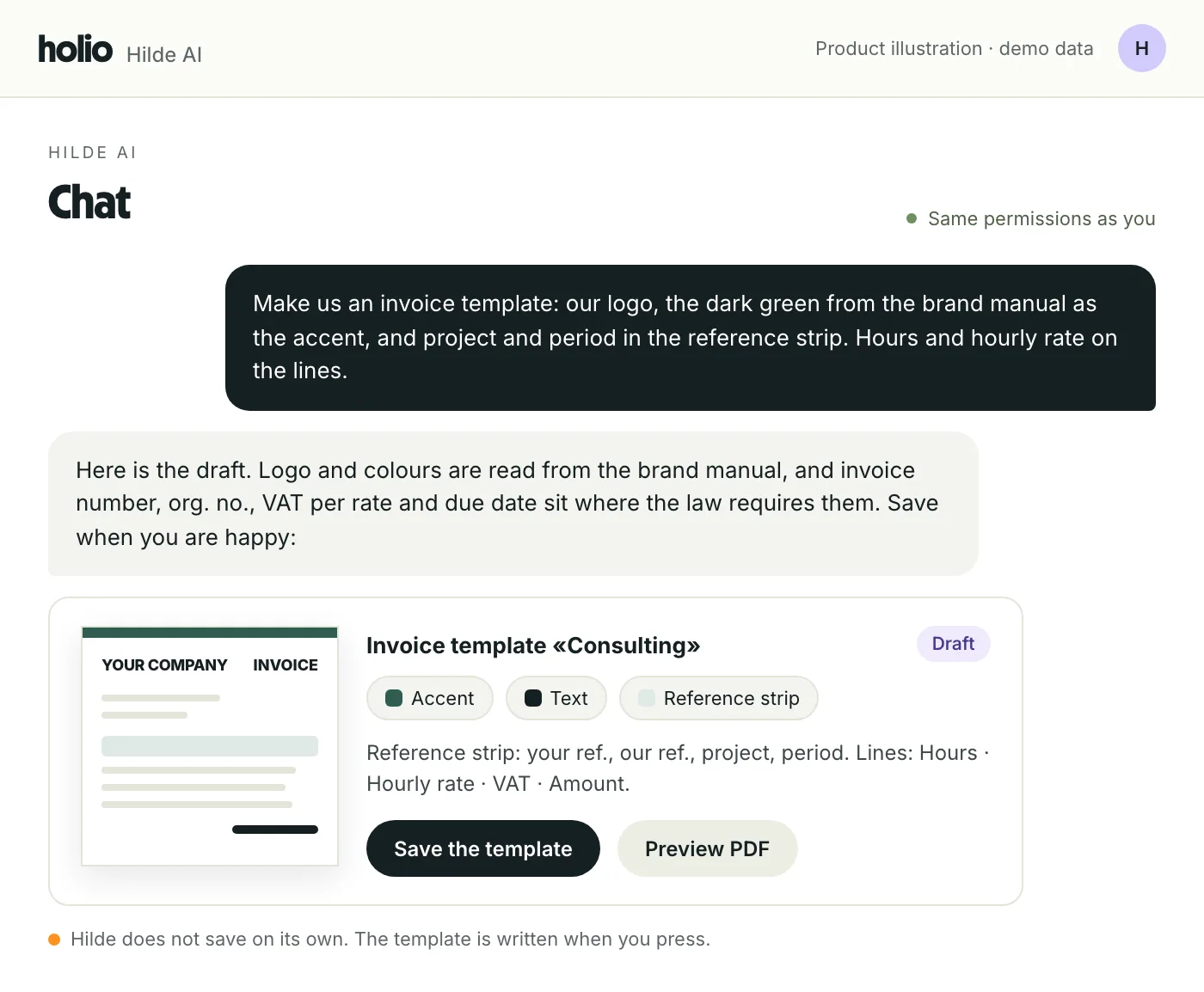
The example: Holio's own invoice
The picture at the top is not a sketch. It is the Holio style as Holio Workspace prints it — the wordmark, the orange bar, the lavender reference strip, hours and hourly rate on the lines, and the payment card with the KID.
The same document is attached to the EHF sent over Peppol, and the XML carries the same figures: your reference, the project, the period and the KID as the payment reference. The legal content — invoice number, date, due date, seller with org. no., buyer, lines, period and VAT per rate — is there whichever style you choose.
From brand manual to first invoice
Four steps. What you do by hand is approve.
Start with the brand manual
Holio derives identity, colours and typography from your website. You correct what needs correcting.
Choose style and fields
The neutral standard or the Holio style, with your logo and colours — or a template of your own, block by block, in the editor or through Hilde.
Preview as PDF
The template is shown on a real invoice before it is saved. Versions are kept.
Send — e-mail or EHF
The same PDF goes out either way, with the KID, and the receipt comes back to the invoice.
What people ask first
Can we remove fields from the invoice?
The ones you added, yes. What the bookkeeping regulation requires — invoice number, date, seller and buyer, lines, VAT per rate and due date — is in the base and cannot be designed away.
Do we need a designer to use this?
No. Describe the invoice to Hilde in the chat, or pick one of the styles and set logo and colours. The editor is there for whoever wants to fine-tune.
We already have an invoice form in Visma Business NXT.
It can be imported into Holio, or edited right where it is. Invoices sent from Holio use the Holio template; invoices sent from Visma use Visma's.
Does the customer get the same design on EHF?
Yes. The PDF attached to the EHF is the same file that goes by e-mail, built from the same base as the XML. See the whole flow under EHF and banking.
See your own invoice in Holio
Bring your logo and an invoice you send today, and we show how it looks in the Holio style — and how Hilde builds the template from the brand manual. 30 minutes, at no cost.