Holio Artifacts
The plan, the design and the status — in one place, for people and AI.
When an AI agent works for you, the result should not vanish into a chat window. Holio Artifacts is the library where plans, designs, diagrams and interactive pages are kept as ordinary files in Holio Drive — versioned, with steps that show who is doing what, and with the same access rights as the rest of the workspace.
- Six formats
- Plan, interactive page, diagram, text, code and table — in one file you can keep editing.
- The same page everywhere
- Opens in Holio Chat, Holio Code and the browser.
- Nothing is lost
- Every save is a new version, and an earlier one can be brought back.
- You share
- A new page lands in your own room. Nothing is shared by itself.
What the library holds
Whatever an agent or a colleague makes to explain, plan or show something — written once, read by everyone who needs it.
Plans with steps
Every step has a status and its evidence — the link to the change, the test that passed. The plan is one page from first draft to done.
Interactive pages and designs
A mock-up you can click through, a process flow step by step, two solutions side by side. The page runs in a closed sandbox.
Diagrams and tables
Architecture, flows and overviews as a drawing or a table — not a screenshot that goes stale.
Text and code
Notes, decisions and code samples in a format that reads the same in the app and in the browser.
Changes against the code
The «Changes» tab lists the pull requests that belong to the page, and says plainly whether the text has caught up with them.
Make with AI
Describe the page you need, pick a shape — explainer, process flow, board, comparison, plan or table — and get a proposal. You save it when it is right.
An answer in a chat disappears. A page in the library stays.
How people and agents work on the same page
One page per task, moving along with the work.
The plan comes first
Before the work starts, the plan is saved as a page with steps. If a page on the subject already exists, it is updated rather than a new one made.
A step has one owner
The agent that takes a step holds it while it works. Another agent sees the step is taken and picks a different one — so two never do the same job.
The page moves as the work does
Finished steps get their evidence. Blockers are written down where they occur, and every update is a new version.
You read the result
The link to the page is what you get when the job is done — not a summary to dig out of a conversation.
An example: the design for new voucher entry
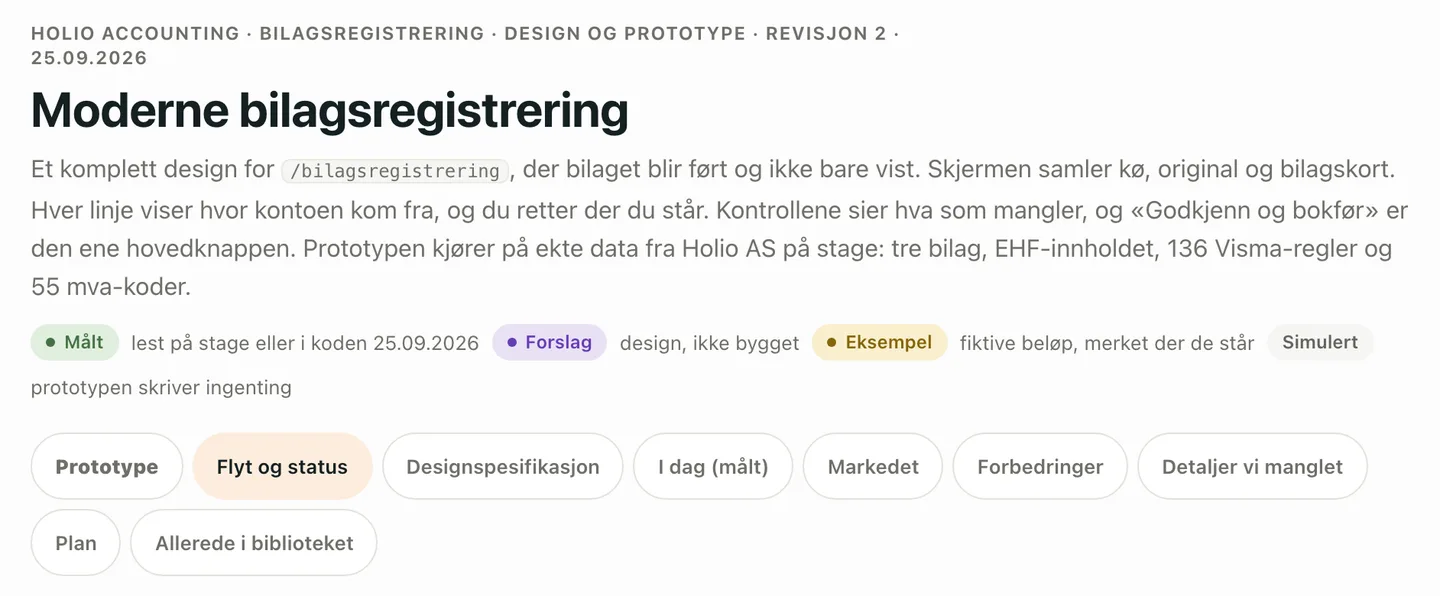
This is what a real page in the library looks like. When voucher entry in Holio Accounting was to be renewed, the whole design was written as one page: a clickable prototype on real bookkeeping data from our own company in the test environment, the flow from received to paid, the design specification, a review of the market and the plan — each part in its own tab.
Every claim is marked. «Målt» (measured) was read in the system or the code, «Forslag» (proposal) is design not yet built, «Eksempel» (example) is made-up amounts, and «Simulert» (simulated) means the prototype writes nothing. The reader can tell what is true today from what is proposed.
The same page carries the whole job. The plan has steps with a status and evidence, the «Changes» tab lists the pull requests that belong to it, and every update is a new version — from the first draft until the work was split into tasks of their own.
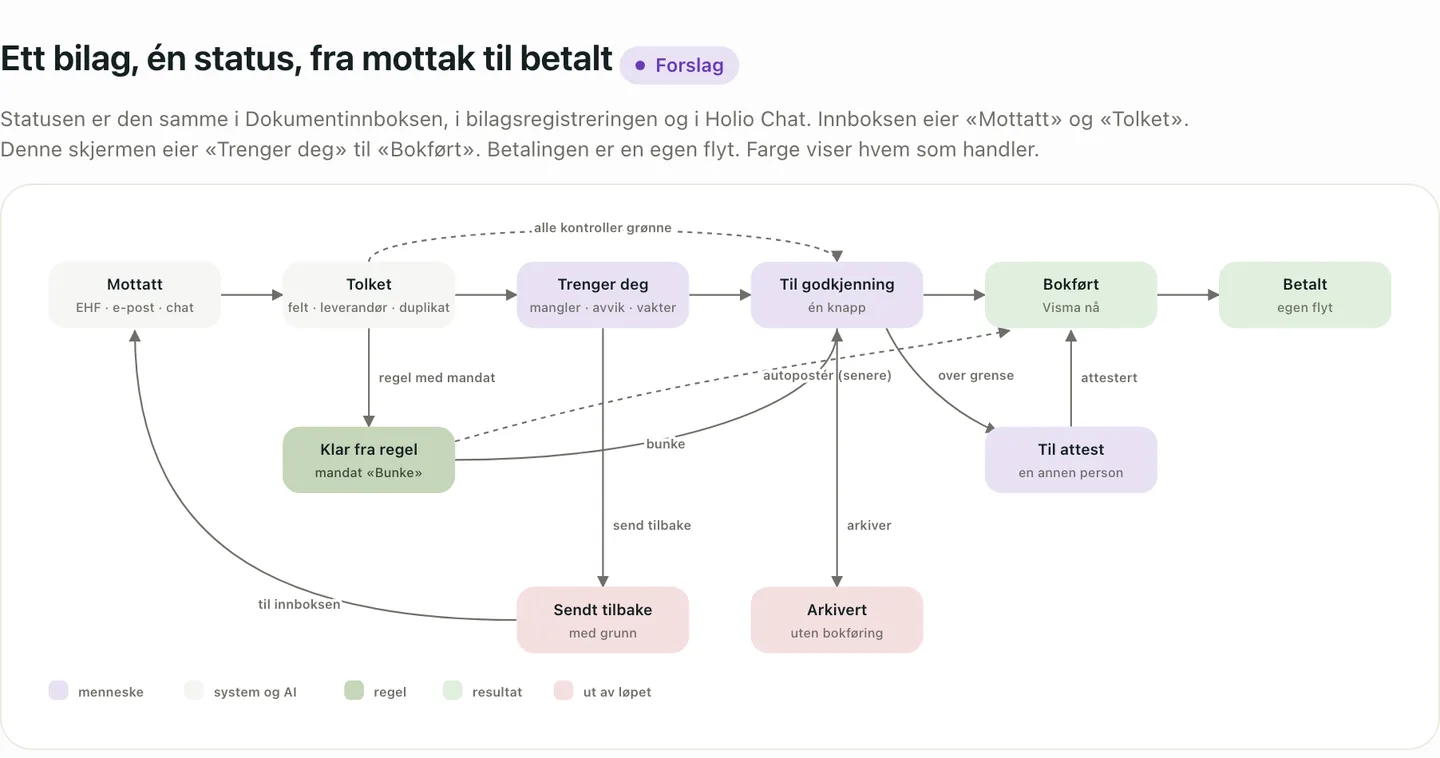
Diagrams that are part of the page
The status flow of a voucher — from received, through «needs you» and approval, to posted and paid — is drawn in the page itself, not pasted in as a picture that goes stale. The colour shows who acts: a person, the system and the AI, a rule or a result.
Below the diagram the page says what is allowed in each status, who does it and what is logged, and which address each state has — so a shared link opens exactly the same voucher and tab. That is how a design becomes something accountants, developers and AI agents can work from at the same time.
Versions that cannot be overwritten
Every save becomes a new version in Holio Drive, and no version is deleted. When two people save at once, the second is told about the conflict instead of writing over the first.
And a save that takes content away — steps disappearing, half the text gone — is stopped, with a note of what would have been lost. That is how an AI that half remembers a page is kept from deleting what a colleague wrote.
Safe to open, even when an agent wrote it
A page runs in a closed sandbox: it cannot fetch anything from the web or send anything out. What a page says never becomes an instruction to the app showing it.
When a board needs real figures, the page names the ones it wants and the app fills them in for whoever is looking — so two colleagues in two companies see their own numbers on the same page.
In the apps you already use
The library lives in the Holio Chat and Holio Code apps, and in the browser. Pages are filed by the module they are about, so the warehouse plan sits with the warehouse and the shipping plan with shipping.
A new page is saved in your own room. You choose who sees it — no page is shared, published or revoked by an agent.
What people ask first
Which AI agents can write to the library?
Agents started from Holio Code get the tools to read, save and update pages. Other agents connect through Holio Chat or Holio Code, and work with the rights of the person who connects them.
Is an artifact the same as a document?
No. Documents with a recipient, a price table and a share link — an offer, a memo to a customer — are made in the document module. Artifacts is the workspace for plans, designs and status.
What if an agent makes a page worse?
The previous version is still there and can be brought back as a new one. A save that takes content away is stopped before it happens, too.
Can I make a page without writing code?
Yes. «Make with AI» takes a description and returns a proposal you can adjust before saving. Plans, text and tables are edited directly in the app.
Where are the pages stored?
As files in Holio Drive, in the EU, with the same access rights as the rest of the workspace. Read more under Security and data.
See AI work made visible
We show a plan from its first step to done, a design you can click through, and how several agents share one task without getting in each other's way.